Packing and power tips
A compact A4 travel printer or scanner only helps if it is packed properly and powered when you need it. Use these practical tips to keep your unit ready for site visits, signings, inspections and study trips across South Africa.
Start with the right travel kit
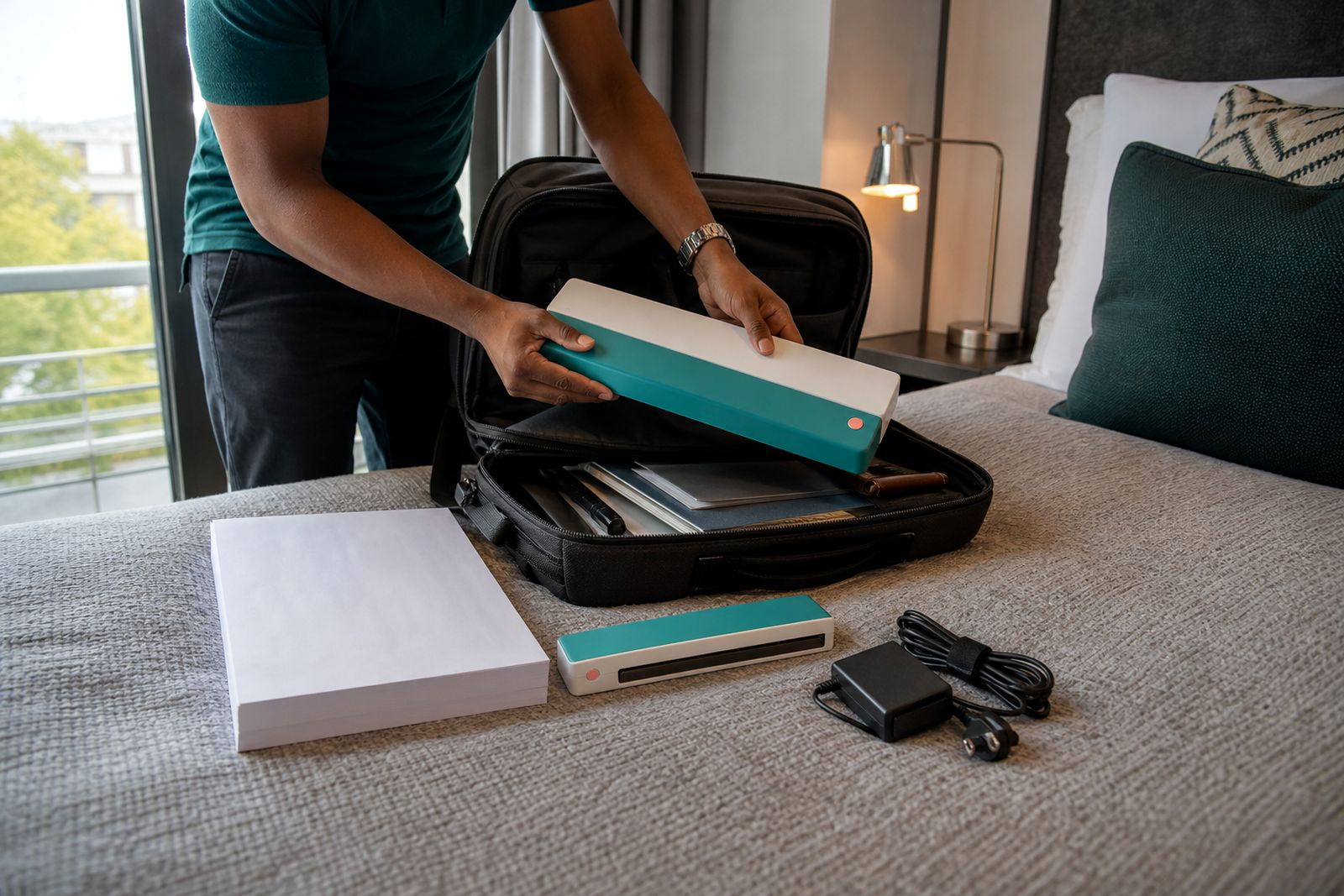
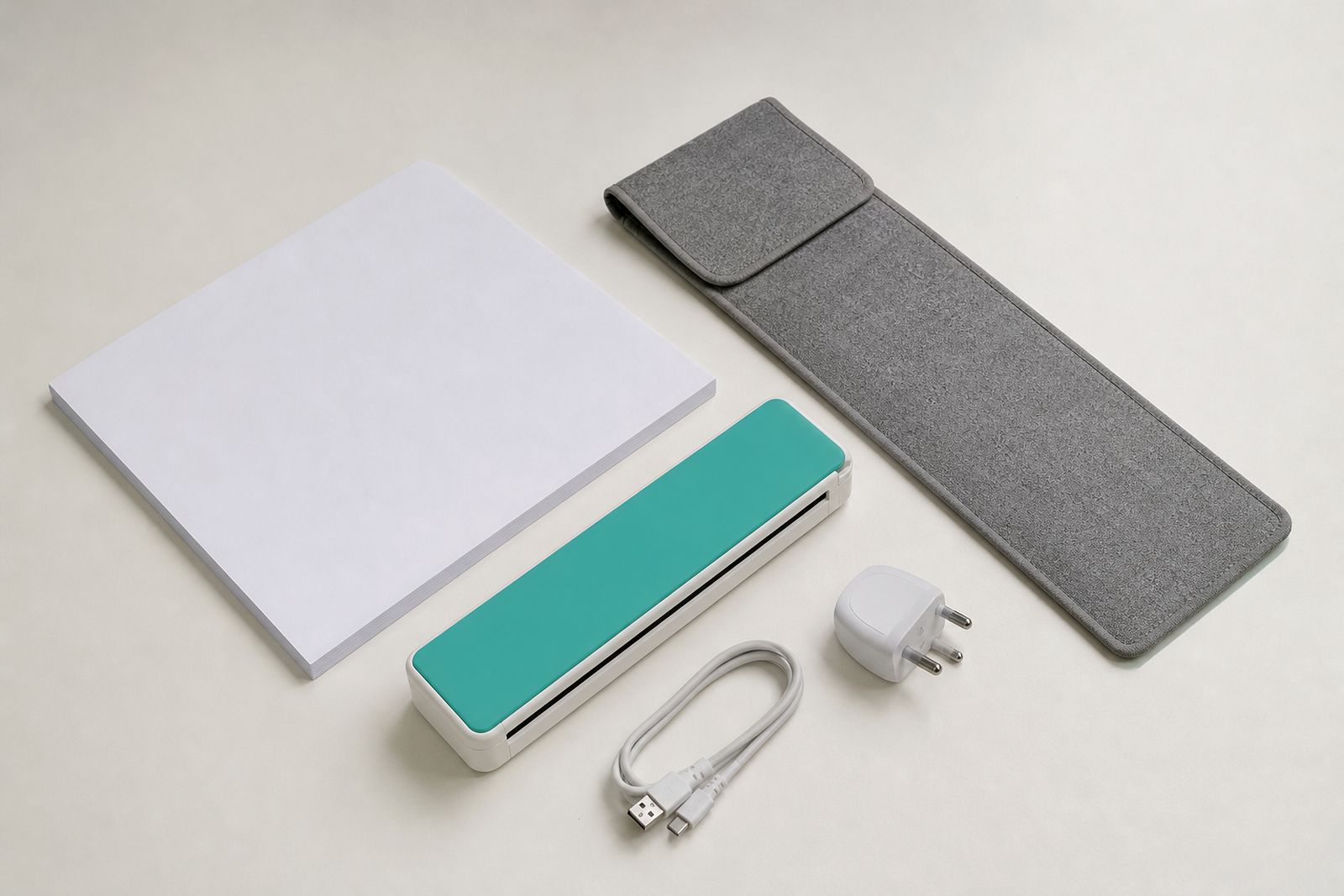
Before you leave Rosebank for a client meeting, property transfer, campus session or inspection route, pack the printer or scanner as a working kit rather than as a loose device. Most travel problems come from small missing items: the wrong cable, no paper, a flat battery or an adapter left in another bag. Keep one dedicated set together so you are not unpacking your home or office setup every time.
A good travel kit should fit into one carry sleeve or laptop bag compartment with enough padding around the machine. Do not pack it tightly against water bottles, metal tools or heavy files. Pressure on the feed path can affect paper handling, and knocks in the car boot can crack hinges or covers.
- Portable A4 printer or sheet-fed scanner
- Power adapter and travel charging lead
- USB cable if your device supports wired connection
- Fully charged battery if your model uses one
- A small pack of clean A4 paper
- Spare ink or cartridge if your printer uses replaceable consumables
- Carry sleeve or padded pouch
- A microfibre cloth for dust and smudges
If you move between Johannesburg, Pretoria, Durban or Cape Town often, keep a second charging lead in your vehicle bag. That one extra item can save a day when power cuts or venue changes force you to work from the car, a coffee shop or a municipal office foyer.
Pack paper and consumables to stay clean and flat
Portable printers are more sensitive to damaged paper than larger office units. Curled sheets, damp stock and folded corners can cause skewed feeding, smears or jams. In coastal areas especially, paper absorbs moisture quickly. If you travel to Durban, Gqeberha or Cape Town, keep paper sealed until you need it and avoid leaving it in the vehicle overnight.
Only carry the number of sheets you are likely to use that day plus a small reserve. Overstuffing a bag with paper adds weight and bends the edges. Put paper in a slim folder or resealable sleeve so grit and lint cannot collect on the top sheet. A scanner also benefits from clean originals, since dust marks show up clearly on contracts, plans and signed pages.
- Store paper flat, never wrapped around other items
- Keep consumables upright where possible
- Do not leave cartridges or paper in direct sun
- Replace torn or dog-eared sheets before a meeting
- Check that labels, receipts or folded originals are suitable before feeding them through a scanner
If you work on construction sites, farms or roadside inspections, give the paper path a quick visual check before use. Fine dust gets everywhere and even a small amount can affect print quality.
Charge early and plan around power cuts
Power planning matters as much as packing. A battery A4 printer or scanner is ideal for mobile work, but only if you treat charging as part of your routine. Charge the unit the night before, top up your phone and laptop at the same time, and test that the charging indicator responds normally. If your model can run on mains power, pack that adapter even when the battery seems full.
South African travel often includes power cuts, limited plug points, long drives and venues where extension leads are not practical. Estate agents, consultants and students should assume that one charging opportunity may disappear. It helps to arrive with every device above the halfway mark rather than trying to recover later. Sounds basic but many call-outs start there.
- Charge the printer or scanner before every trip, not only after it is empty
- Carry both mains and vehicle charging options if supported by your model
- Test the wall plug at your accommodation before relying on it
- Keep charging leads untangled and labelled
- Avoid using a nearly flat battery for a long print run
If you are printing signed documents on site, print the most urgent pages first while the battery is strongest. For scanning, save large batches for a stable power source if available. This is especially useful on all-day trips where you may not get another plug point untill late.
Set up connections before you leave
Connection issues waste more time than the actual print or scan job. Whether you use wireless or USB, set up the link before travelling. Pair the device at home or at your base office, run a test page, and confirm that your phone, tablet or laptop can still find the printer after a restart. If your mobile data signal is poor in outlying areas, a direct cable connection is often the safest backup.
Keep your setup simple. Travelling professionals usually need one dependable method, not three half-tested ones. If you work between meetings and your battery is limited, avoid repeated reconnect attempts that drain both devices. A small pre-trip test saves a lot of frustration in reception areas, parking lots and boardrooms.
For scanners, check file saving before you go. Make sure the scans land where you expect on your laptop or phone and that pages are readable. It is better to discover a settings problem in Rosebank than while standing outside a sectional title office waiting for signatures.
Use a quick setup routine on site
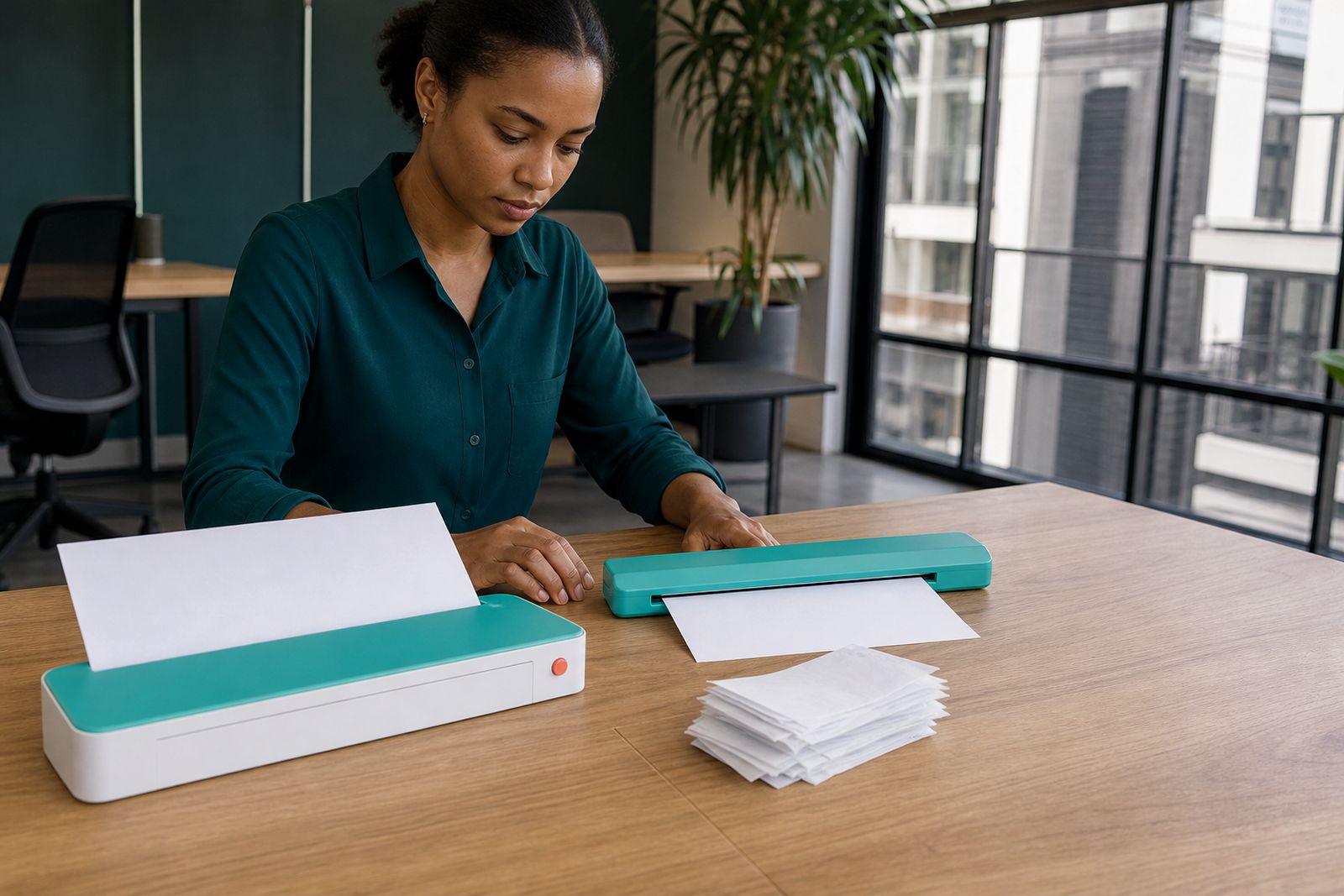
When you arrive, choose a stable flat surface out of direct sun and away from food, drinks and blowing dust. Portable printers and sheet-fed scanners work best when they are level and have enough room for paper to enter and exit cleanly. A car seat, uneven wall ledge or stack of files is not ideal if you need neat output.
Give yourself two minutes for a setup routine. Open the unit fully, load paper carefully, check battery level, connect once, then run the job. Rushing this stage causes the kind of errors that make mobile printing feel unreliable, when the real issue is often setup.
- Place the unit on a firm surface
- Wipe away visible dust before loading paper
- Check that paper guides sit snugly against the sheet
- Print or scan one test page first if the document is important
- Pack the unit only after it has finished its cycle and cooled if needed
If you are scanning signed documents, support the original as it feeds through so corners do not catch. For printing, keep spare sheets within reach instead of balancing them under the machine.
Finish the day with a reset and repack
A short reset at the end of the day helps the next trip go smoothly. Remove loose paper, switch off properly, coil the cables neatly and return each item to the same pocket. Do not throw a used machine straight into a bag with receipts and charger plugs. That is how scratched panels, dirty rollers and bent covers happen.
Back at your accommodation or home, top up the battery if needed and check your remaining paper and consumables. Replace what you used so the kit is ready for the next call-out. If a print looked faint or a scan was streaky, sort it out before the next trip rather than hoping it clears on its own.
If you are unsure whether a battery model, wireless model or a particular scanner type suits your travel routine, we can help you compare options and connection methods. Use the enquiry form on our contact page and we will guide you toward a practical setup for mobile work in South Africa.
What our A4 Portable Printers customers say
Verified Google reviews
Questions we get asked
Should I choose battery power or mains power for travel printing?
Battery power suits mobile workers who print away from plug points, in vehicles or at sites. Mains power works well where a socket is usually available. Many travellers prefer a model that can use both, so they have a backup when the day changes.
How should I carry A4 paper for a portable printer?
Keep paper flat in a slim sleeve or folder inside your bag. Avoid bent corners, damp conditions and loose sheets rubbing against chargers or keys. In humid coastal areas, sealed storage helps keep paper feeding properly.
Is wireless always better than USB for a travel printer or scanner?
Not always. Wireless is convenient for quick mobile work, but USB can be more dependable where signal conditions are poor or setup time is short. Many travellers keep both options available so they can switch if needed.
Also worth a look

Tell us about the job
Send sizes, materials and where you are through our contact form, and we will come back with the practical options.
Open the contact form